VSA
Content related to the management of Kaseya's VSA program
ThreatLocker - Deploy - VSA Deployment
- Log into the Threatlocker Portal
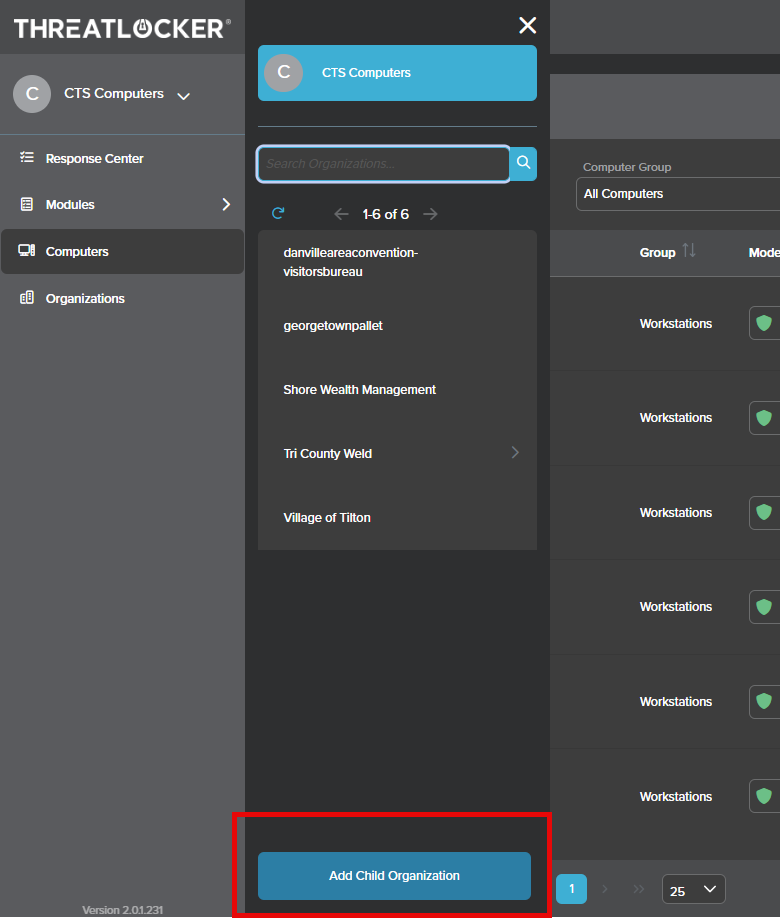
- Create a new child organization
- If you do not create a new organization yourself, you may simply run the instal procedure given to you in Threatlocker. It will create a new org based on the name of the computers in VSA. You can then proceed.
- If you create new org, the script may add the computers to child organizations created under the parent org, which you will then have to move.
- If you create new org, the script may add the computers to child organizations created under the parent org, which you will then have to move.
- If you do not create a new organization yourself, you may simply run the instal procedure given to you in Threatlocker. It will create a new org based on the name of the computers in VSA. You can then proceed.
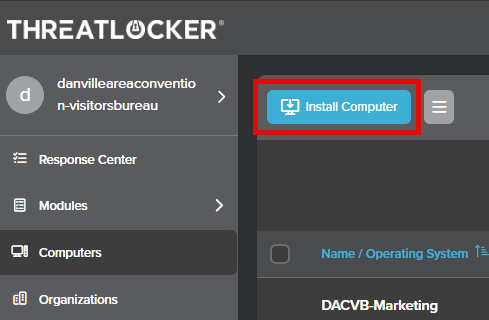
- Open the new organization and select the install computer option
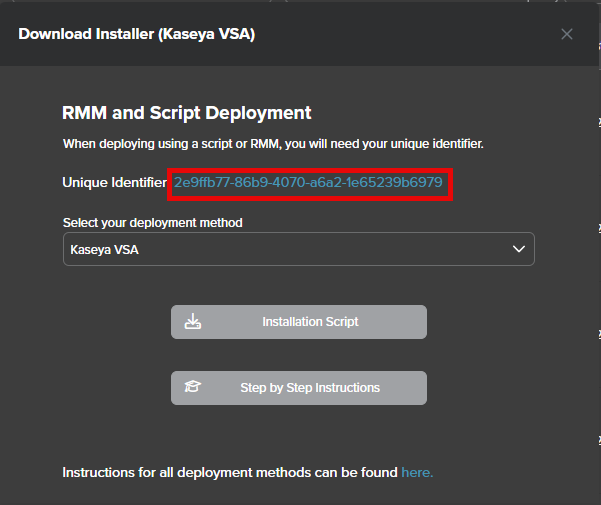
- Copy the Unique Identifier
- Sign into VSA and go to Agent Procedures>Manage Procedures>Schedule/Create
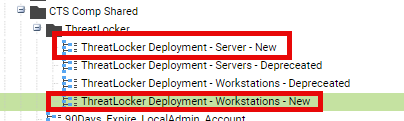
- Open Shared>CTS Comp Shared>ThreatLocker
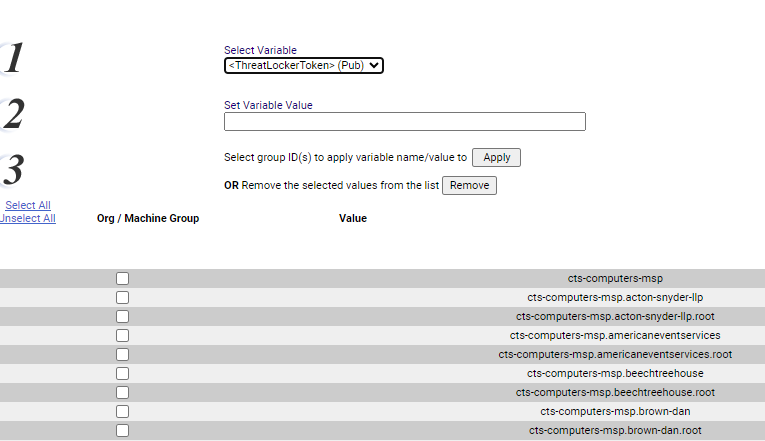
- Select the manager variables option accross the top
- Ensure the variable you have selected is the ThreatlockerToekn

- Paste the unique ID into the variable value slot
- check the box next to the name of the client to apply that variable to, I like to check both the .root option and otherwise
- select Threatlocker deployment Servers and run against any Client Servers
- be sure to run the procedure labeled new. this has a groupname flag that should assign computer to a group "Servers"
- Select ThreatLocker Deployment Workstations and run against any Client Workstations
- be sure to run the procedure labeled new. this has a groupname flag that should assign computer to a group "Workstations"