Adding user to Folders in Sharepoint
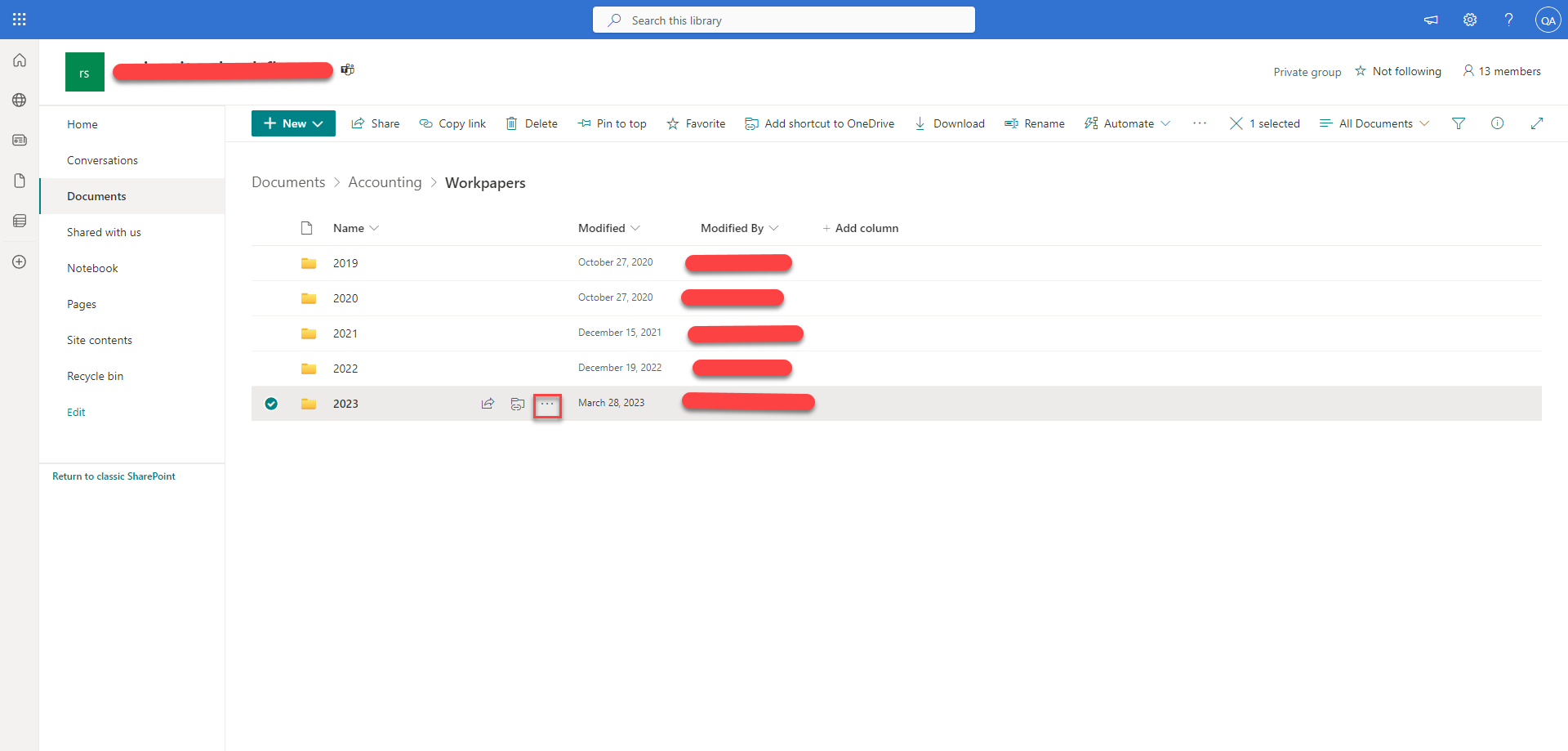
- Navigate to the required location in Sharepoint

- Select the folder and choose the three dots
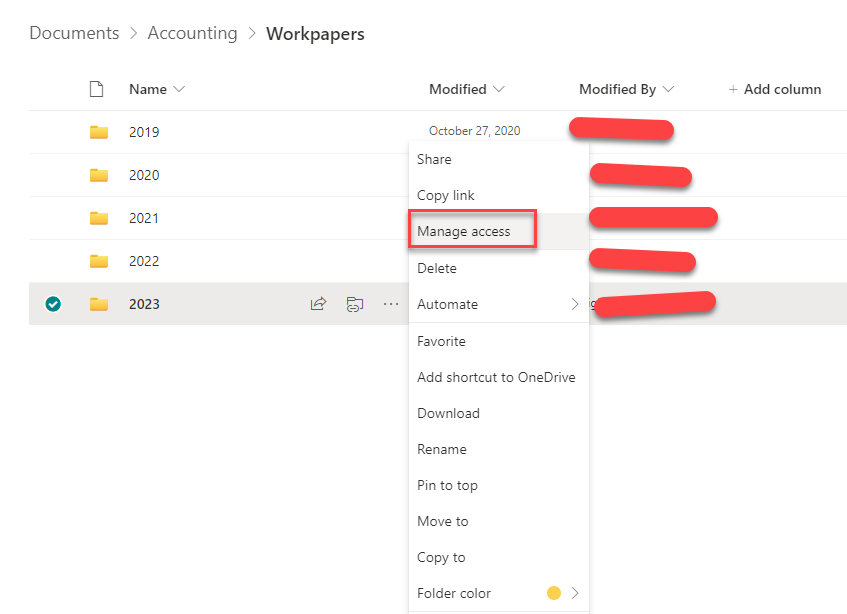
- Choose the "Manage Access button"

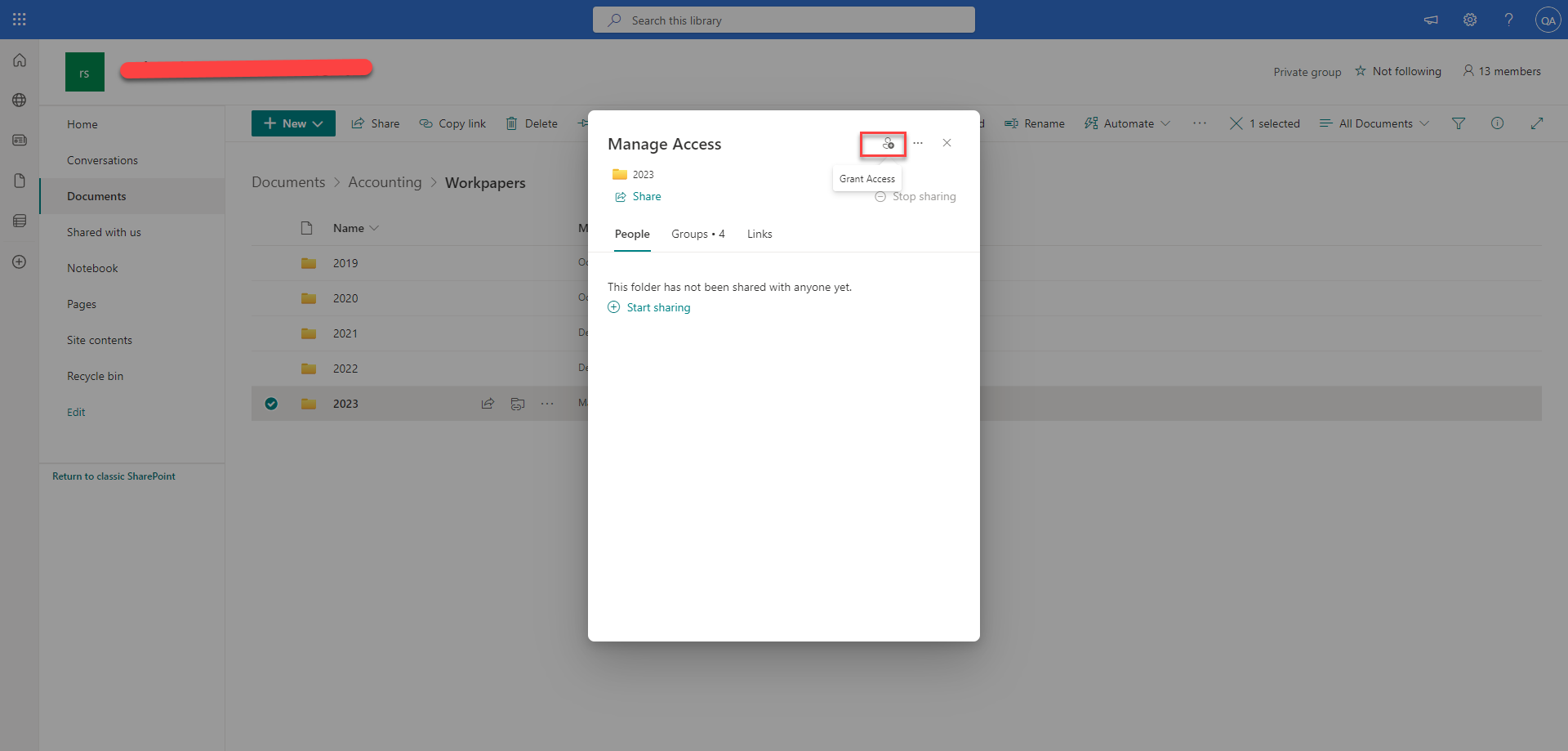
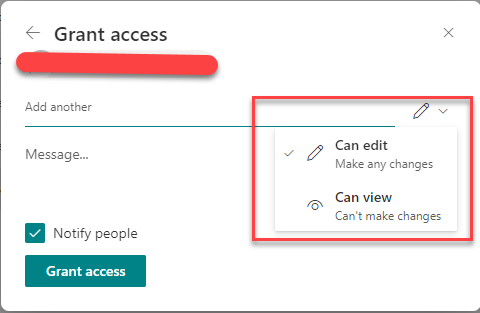
- Select the Grant Access option

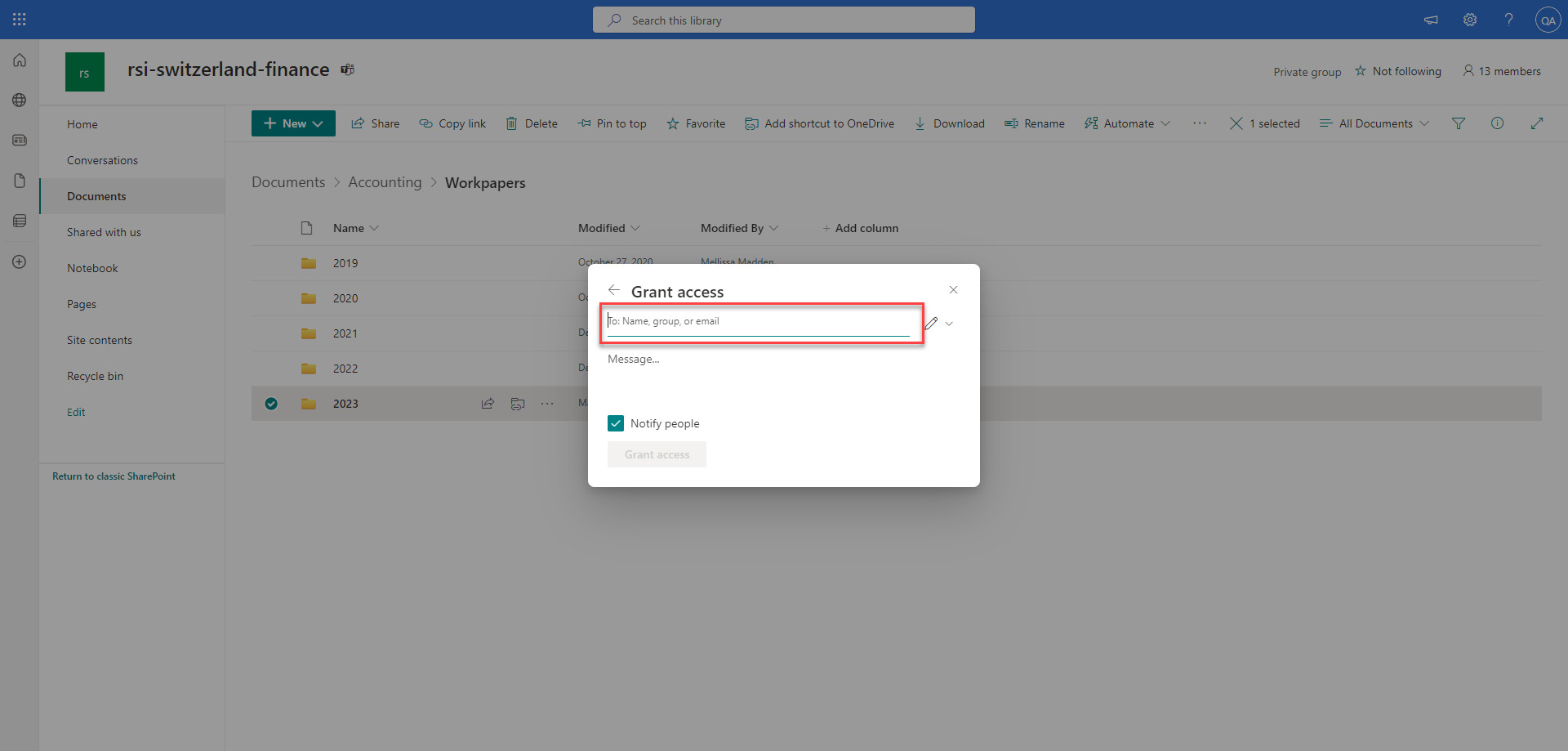
- Type the email address of the person you wish to share with in the box

- Click the icon to the right of the name to change permissions for the user.

- Finally select the Grant access button at the bottom.