# Duo Hybrid Environment reporting wrong Address to Duo
Just as an FYI, for Azure-only environments in Duo, for some reason the Windows Login app reports almost the "wrong" address to Duo.
This is why historically we've had to create an alias without the period in the middle, in Duo
There *is* a fix for it that does not involve aliases, but it involves a registry key and restarting the computer.
[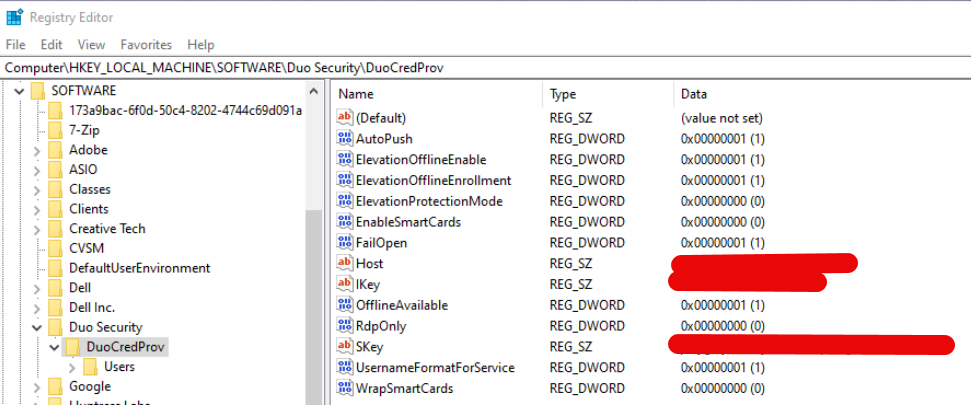](https://docs.coltscomputer.services/uploads/images/gallery/2025-05/bavxX7FTvRj2TRKk-image.png)
HKLM\\SOFTWARE\\Duo Security\\DuoCredProv
UsernameFormatForService should instead be a "0" so it actually reports "firstname.lastname@domain.com" to Duo, in Azure-only environments. For some reason, Hybrid environments don't have this limitation and I don't know why.